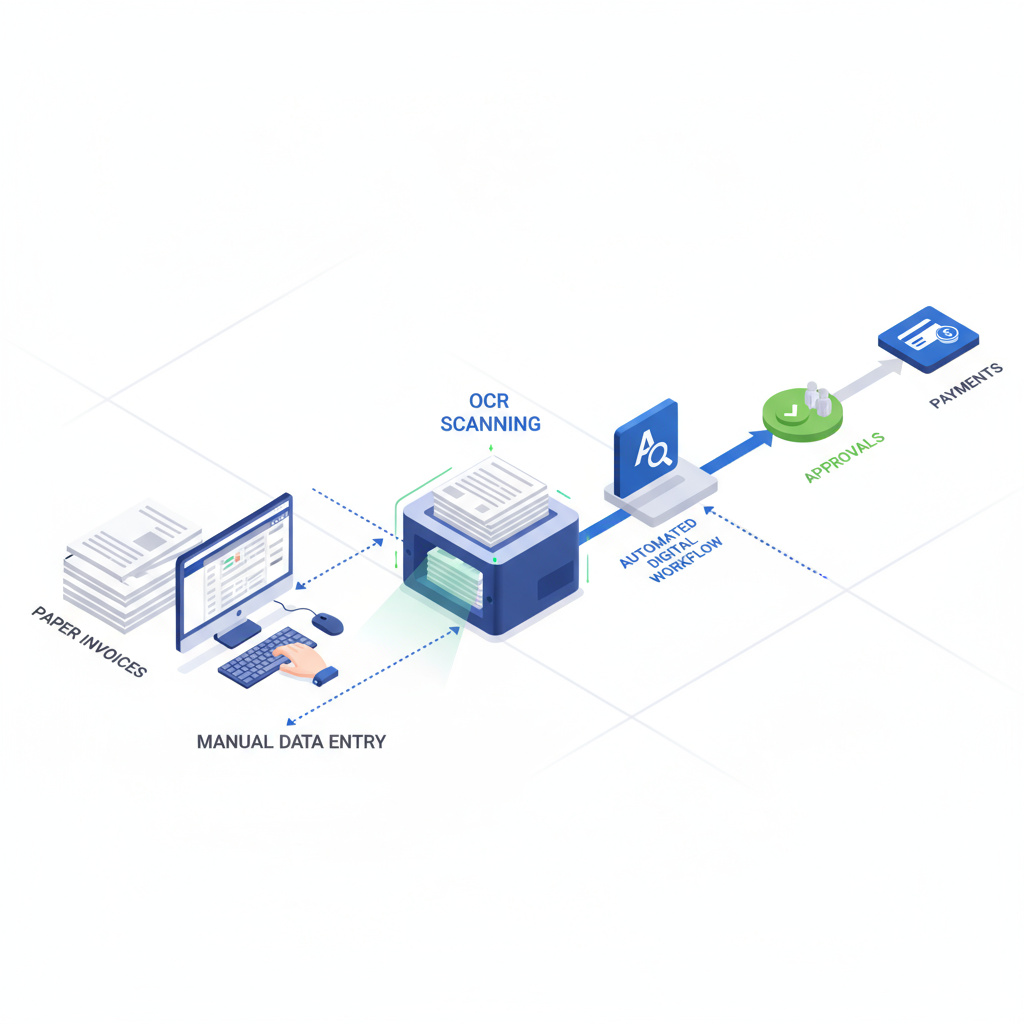
For UK SMEs processing 300-500 invoices monthly, manual data entry isn’t just tedious—it’s expensive. The average 30-person firm spends £12,000-£24,000 annually on invoice processing labour alone, before counting error correction costs (£2,000-£5,000) and missed early payment discounts (£3,600-£9,600).
Yet 80% of UK SMEs still rely on manual invoice processing. The good news? Modern automation can reduce processing time by 80%, cut per-invoice costs from £15 to £2, and deliver payback within 5-6 months. This guide provides a practical 20-week implementation framework with real UK case studies and actionable steps.
Calculate Your Baseline: Is Automation Worth It?
Before evaluating solutions, quantify your current state. Use this self-assessment:
Volume Assessment:
- How many supplier invoices do you process monthly? (Include utilities, supplies, services, contractors)
- What percentage arrive as PDFs vs paper vs email body text?
- How many approvers are involved in typical invoice workflows?
Time & Cost Assessment:
- Average time from invoice receipt to payment: _____ days
- Staff time per invoice (data entry + approval chasing + filing): _____ minutes
- Monthly labour cost for invoice processing (hours × loaded rate): £_____
Error & Exception Assessment:
- Duplicate payment incidents per quarter: _____
- Late payment penalties paid annually: £_____
- Percentage of invoices requiring manual intervention: _____%
Target Calculation for 30-Person SME (400 invoices/month):
- Current state: 15 minutes/invoice × 400 = 100 hours/month × £30/hour = £3,000/month
- After automation: 3 minutes/invoice × 400 = 20 hours/month × £30/hour = £600/month
- Monthly savings: £2,400 (£28,800 annually)
- Break-even on £15,000 solution: 6.25 months
If your monthly savings exceed £1,500, automation typically delivers positive ROI within 12 months.
The 5-Step Implementation Framework
Step 1: Map Your Current Process (Weeks 1-2)
Objective: Document existing workflows, capture baseline metrics, identify automation opportunities.
Actions:
-
Shadow your AP team for 2-3 days. Record:
- Where invoices arrive (email, portal, post, supplier systems)
- Who performs data entry and validation
- Approval routing paths (single approver vs multi-tier)
- Exception handling (missing POs, pricing disputes, coding questions)
-
Collect baseline data:
- Average processing time per invoice type (standard vs complex)
- Error rate (duplicate payments, incorrect coding, missed discounts)
- Cycle time from receipt to payment
- Monthly volume by supplier and format
-
Map integration touchpoints:
- Current accounting system (Xero, Sage, QuickBooks)
- ERP or procurement systems requiring synchronisation
- Bank payment systems (BACS, Faster Payments)
- Existing approval tools (email, shared drives, manual sign-off)
Deliverable: Process map showing current state with time/cost annotations. This becomes your requirements specification for vendor evaluation.
Step 2: Select Your Solution (Weeks 3-4)
Objective: Evaluate vendors against requirements, confirm budget alignment, secure stakeholder buy-in.
Vendor Evaluation Matrix:
| Criteria | Weight | Dext Prepare | Yooz | PaperLess | Compleat |
|---|---|---|---|---|---|
| OCR Accuracy | 25% | 95-98% | 95-97% | 95-98% | 93-96% |
| Xero/Sage Integration | 20% | Native | API | 250+ systems | Direct connector |
| Approval Workflow | 15% | Basic | AI-driven | Customisable | Fully custom |
| Pricing Transparency | 15% | Usage-based | Quote required | Subscription | Subscription |
| MTD Compliance | 10% | Yes | Yes | Yes | Yes |
| Support Quality | 10% | Email + phone | Dedicated AM | 24/7 support | UK-based |
| Implementation Time | 5% | 2-4 weeks | 6-10 weeks | 8-12 weeks | 10-16 weeks |
Budget Guidance by Company Size:
- 1-10 staff: £2,000-£8,000 annually (Dext, AutoEntry, Bill Capture)
- 11-50 staff: £8,000-£25,000 annually (Yooz, PaperLess, Hubdoc)
- 51-100 staff: £25,000-£50,000 annually (Compleat, full AP suites)
Actions:
- Shortlist 3-4 vendors matching your volume and integration requirements
- Request live demonstrations using your actual invoice samples
- Validate OCR accuracy on your most complex invoices (multi-page, handwritten notes, non-standard formats)
- Confirm data residency (UK/EU) and GDPR compliance certification
- Review contract terms: minimum commitment, exit clauses, data portability
Deliverable: Vendor selection with signed contract and implementation timeline.
Step 3: Pilot Testing (Weeks 5-10)
Objective: Validate solution with 20% of invoice volume, identify edge cases, refine workflows before full rollout.
Pilot Scope:
- Select 2-3 high-volume suppliers with consistent invoice formats
- Target 80-100 invoices over 5-6 weeks
- Assign dedicated team member for parallel processing (automated + manual verification)
Testing Protocol:
-
Week 5-6: Configure OCR templates and GL coding rules
- Train system on supplier-specific layouts
- Set up approval routing for pilot suppliers
- Configure exception triggers (amount thresholds, missing PO, GL code ambiguity)
-
Week 7-8: Process pilot invoices with full verification
- Log OCR accuracy by field (supplier name, invoice number, date, line items, VAT)
- Track time savings vs baseline
- Document exceptions requiring manual intervention
- Measure approver response times
-
Week 9-10: Refine and optimise
- Adjust OCR confidence thresholds (balance automation vs accuracy)
- Update approval workflows based on bottleneck analysis
- Create exception handling playbook
- Train backup staff for business continuity
Success Metrics:
- OCR accuracy ≥90% on pilot suppliers (aim for 95%+)
- Processing time reduced by ≥60% vs manual baseline
- Zero duplicate payments or critical errors
- Approver satisfaction score ≥7/10
Go/No-Go Decision: If success metrics aren’t met, extend pilot or reconsider vendor selection. Don’t proceed to full rollout with <85% OCR accuracy—error correction costs will eliminate ROI.
Step 4: Staff Training (Weeks 11-14)
Objective: Equip AP team with skills to manage automated workflows, handle exceptions, and maintain system accuracy.
Training Programme:
Week 11-12: Hands-On System Training
- Session 1 (2 hours): Invoice capture methods (email forwarding, mobile app, portal upload)
- Session 2 (2 hours): OCR validation workflows (approve, correct, flag for review)
- Session 3 (2 hours): Exception handling (supplier setup, GL code maintenance, duplicate detection)
- Session 4 (1 hour): Reporting and KPI monitoring
Week 13: Change Management
- Address resistance: “Will automation replace jobs?” (Reframe as elimination of tedious work, not roles)
- Highlight time savings for value-add activities (supplier relationship management, cashflow optimisation)
- Share pilot results: real staff testimonials about reduced data entry burden
Week 14: Documentation & Support
- Create quick reference guides (laminated cards at workstations)
- Establish internal support channel (Slack, Teams, or dedicated email)
- Identify “super users” for peer support
- Schedule weekly drop-in sessions for first month post-rollout
Deliverable: Trained team confident in system operation, with documented procedures for common scenarios.
Step 5: Full Rollout (Weeks 15-20)
Objective: Scale automation to 100% of invoice volume with hypercare support, monitor KPIs, and optimise for continuous improvement.
Rollout Sequence:
- Week 15-16: Add 40% of remaining suppliers (start with simplest formats)
- Week 17-18: Add next 40% (moderate complexity, higher volume)
- Week 19-20: Final 20% (complex invoices, low volume, edge cases)
Hypercare Protocol (Weeks 15-20):
- Daily stand-ups with AP team to surface blockers
- Real-time exception escalation to implementation partner
- Weekly KPI review: OCR accuracy, processing time, error rate, approver cycle time
- Adjust GL coding rules and approval thresholds based on live feedback
Post-Rollout Optimisation (Weeks 21+):
- Monthly accuracy audits: sample 20 invoices for manual verification
- Quarterly supplier review: add new vendors to automated routing
- Bi-annual process review: identify new automation opportunities (e.g., payment scheduling, early payment discount alerts)
Deliverable: Fully operational automated AP process with documented KPIs and continuous improvement plan.
Real UK Case Studies: Proven Results
The following case studies are drawn from publicly available vendor reports and industry research, demonstrating real-world outcomes achievable with invoice automation solutions.
Case Study 1: UK Retail Group (80 Staff, 300 Invoices/Month)
Source: Snowfox public case study
Challenge: Manual invoice entry consuming 40-50 FTE hours monthly; 1.6% error rate causing payment delays and supplier friction.
Solution: Snowfox AI-driven invoice processing with auto-coding and Xero integration.
Results (5-month payback):
- Processing time: 80% reduction (15 minutes → 3 minutes per invoice)
- Labour redeployed: 40 FTE hours/month to customer service
- Error rate: Dropped from 1.6% to 0.5%
- Cost per invoice: £15 → £3
- Annual savings: £9,600 on 400-invoice/month volume
Key Success Factor: Phased rollout starting with top 10 suppliers (60% of volume) before expanding to long-tail suppliers.
Case Study 2: UK Accounting Firm (25 Staff, 100 Client Invoices/Month)
Source: Snowfox public case study
Challenge: 10-day invoice-to-payment cycle creating cashflow issues; approval bottleneck with partners travelling frequently.
Solution: Digital workflow with Snowfox OCR + Zapier routing to Xero with mobile approval app.
Results (6-month payback):
- Invoice cycle: 10 days → 2 days (80% reduction)
- Client satisfaction: Fewer payment disputes due to faster processing
- Staff time freed: 20 hours/month redirected to strategic advisory
- Partner approval time: 50% reduction via mobile app
Key Success Factor: Mobile-first approval workflow enabling partners to approve invoices during client visits or travel.
Case Study 3: Digital Advertising Group (32,000 Invoices/Year)
Source: Industry vendor report
Challenge: Labour-intensive manual invoicing delaying new client onboarding; revenue recognition timing issues.
Solution: Full invoice automation platform with API integration to media buying systems.
Results (12-month evaluation):
- Processing capacity: 32,000+ invoices annually without additional headcount
- Onboarding time: 40% reduction for new clients
- Revenue recognition: Real-time accuracy enabling faster financial close
- Year 1 ROI: 150-300% (estimated based on industry benchmarks for similar deployments)
Key Success Factor: API integration with upstream media buying platforms eliminating duplicate data entry entirely.
ROI Calculator: Quantify Your Business Case
Use this formula to project your first-year ROI:
Annual Savings Calculation:
- Labour savings: (Current monthly hours × hourly cost × 70% time saved × 12 months)
- Error avoidance: (Annual duplicate payments + late fees + manual corrections) × 85%
- Early payment discounts captured: (Annual spend × 2% discount rate × 40% suppliers offering discounts)
Example for 30-Person SME Processing 400 Invoices/Month:
- Labour: 100 hours/month × £30/hour × 70% saved × 12 = £25,200
- Errors: £4,000 × 85% reduction = £3,400
- Discounts: £2M spend × 2% × 40% = £16,000
- Total Annual Benefit: £44,600
Less: Annual Software Cost
- Solution: £18,000 (mid-tier pricing)
- Implementation: £5,000 (one-time, year 1 only)
- Total Year 1 Cost: £23,000
Net Year 1 Savings: £21,600 Payback Period: 6.2 months Year 1 ROI: 94%
Note: Year 2+ ROI increases as implementation costs disappear.
Implementation Risks & Mitigation Strategies
| Risk | Impact | Mitigation Strategy |
|---|---|---|
| Poor data quality | Low OCR accuracy, high exception rate | Conduct data cleansing pre-implementation; establish supplier communication standards |
| User resistance | Slow adoption, workarounds bypassing system | Early involvement in vendor selection; emphasise time savings over job security concerns |
| Integration failures | Data sync errors, duplicate entries | Validate API connections during pilot; maintain manual backup process for first 3 months |
| Scope creep | Delayed rollout, budget overruns | Define clear phase gates; defer “nice-to-have” features to post-rollout optimisation |
| Vendor support gaps | Unresolved technical issues delaying go-live | Confirm UK-based support hours and escalation paths in contract; identify fallback consultant |
Red Flags During Implementation:
- OCR accuracy <85% after 4 weeks of training
- Vendor missing agreed milestones by >2 weeks without proactive communication
- Exception rate >30% in pilot phase
- Approvers reporting system is slower than email-based workflows
If you encounter 2+ red flags, pause rollout and schedule vendor escalation meeting. Don’t proceed hoping issues will resolve—they typically worsen with increased volume.
Next Steps: Your Implementation Roadmap
Week 1-2: Complete self-assessment and baseline metrics collection. Schedule stakeholder meeting to review business case.
Week 3-4: Request demos from 3-4 shortlisted vendors. Prepare sample invoices (5-10 representative examples) for accuracy testing.
Week 5: Select vendor and negotiate contract. Confirm implementation timeline and resource commitments (internal + vendor).
Week 6+: Follow 5-step framework. Allocate dedicated project manager (internal or consultant) to maintain momentum and accountability.
Need help evaluating your automation options? Resultsense helps UK SMEs navigate AI and automation decisions with strategic guidance. We can help you assess your readiness, interpret vendor claims, and develop a realistic implementation roadmap.
Book a free 30-minute consultation to discuss your invoice processing automation evaluation. We’ll help you ask the right questions, identify potential pitfalls, and determine whether automation makes sense for your business.
Resultsense is an AI consulting firm helping UK SMEs make informed decisions about automation and AI adoption. We provide strategic guidance, vendor evaluation support, and prompt engineering expertise to help businesses avoid costly mistakes and identify opportunities that align with their capabilities and goals.